AI Voice • Rockbot Audio Messaging
Professional in-store audio, live in seconds
Instantly create, preview, and deploy audio announcements entirely within Rockbot – no recording, no uploads, no outside production required.
Instantly create, preview, and deploy audio announcements entirely within Rockbot – no recording, no uploads, no outside production required.
Turn any script into a ready-to-play message instantly – pick a voice, preview, and publish.
No recording equipment, no outside vendors – creation happens directly within Rockbot.
Choose from a curated library of business-friendly voices for a consistent sound across locations.
Refresh a promo, update your hours, or swap a daypart message in seconds.
From blank page to broadcast-ready audio in seconds.
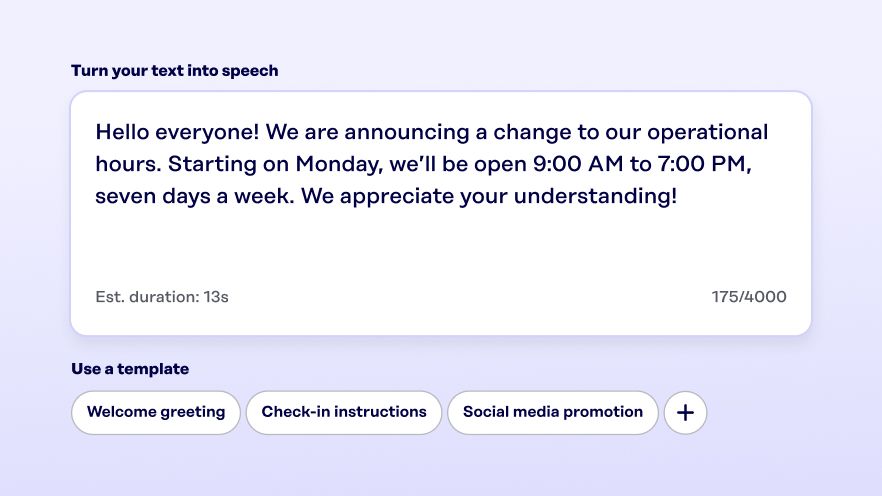
Type your message or choose from a library of templates by industry and use case.
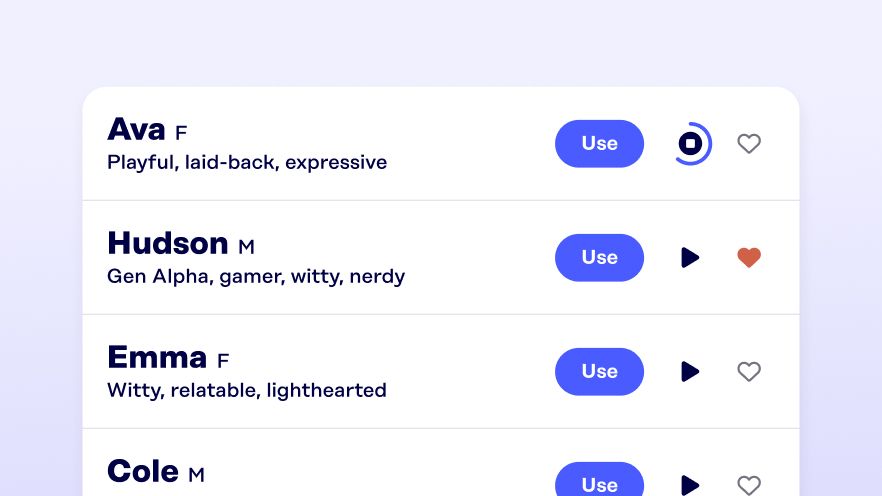
Browse and preview a curated library of professional AI voices to find the right tone for your brand.
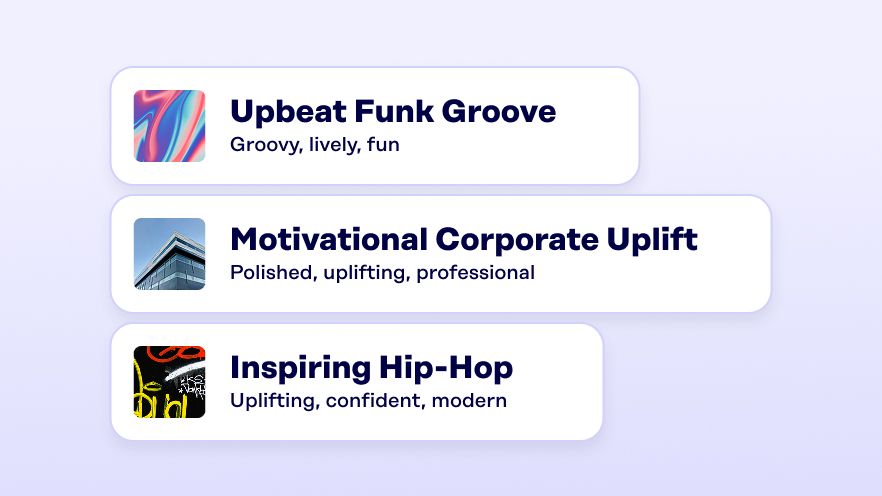
Add a background track, preview your message, and create – ready to schedule in seconds.
Browse and preview a library of professional AI voices across a range of tones, energies, and styles before choosing.
Add a music bed for an instantly polished, professional sound – no sound design work required.
Never start from a blank page – browse 100+ script templates by industry and message type.
Welcome and closing announcements that play automatically at the right time, every day.
Create a new offer in seconds and update it the moment things change – no production delays.
Store hours, policy reminders, seasonal announcements – create in seconds and deploy to every location at once.
A unique message for any location or group in seconds – no new production workflow required.
Answers to common questions about creating in-store audio with AI Voice.
Rockbot AI Voice is an AI-powered audio creation tool built directly into the Rockbot Dashboard. It lets businesses turn a text script into a professional, ready-to-play in-store audio message in under two minutes – no recording equipment, outside vendors, or separate tools required. It is included at no extra cost with any active Audio Messaging subscription.
Most users go from a blank page to a publishable audio asset in under two minutes. Preview generation is near-instant for short scripts. This compares to an industry-standard vendor turnaround of 2–5 business days.
Yes. AI Voice auto-detects English and Spanish – you can even mix both languages in a single script and AI Voice generates one seamless audio file.
Neither. AI Voice is a creation feature included within Rockbot Audio Messaging at no extra cost. Messages created with AI Voice save directly to your Audio Messaging Asset Library and schedule through the same system you already use.
AI Voice includes a curated library of business-friendly voices with personality descriptions, gender filters, and name/description search. You can preview any voice before selecting, save favorites, and adjust playback speed – all within the Rockbot Dashboard.
Use the “Make a Copy” feature on any existing AI Voice asset. It carries over the text, voice, and speed settings so every location uses the same brand voice without starting from scratch. For a central team managing dozens or hundreds of locations, this ensures consistent, on-brand audio across your entire network.